
Most emails die in the inbox before anyone reads a single word of the body copy. The subject line and preview text decide whether your message gets opened, and the body copy decides whether it gets acted on. This article breaks down email copywriting frameworks you can apply immediately to improve opens and clicks, even if you have never written a formal marketing email before. By the end, you will have repeatable templates for subject lines, preview text, and body copy structure, plus a checklist to run every email through before you hit send.
Why Subject Lines Determine Everything That Follows
Think of your subject line as a locked door. If it does not get opened, nothing behind it matters — not your offer, not your design, not your call to action. Subject lines typically get 3 to 9 words of real attention before a reader decides to open, skip, or delete. That means every word has to earn its place.
There are four subject line approaches that consistently perform well across industries: curiosity, direct benefit, urgency, and personalization. Curiosity subject lines tease an idea without giving it away, such as ‘The mistake costing you 20 percent of your list.’ Direct benefit subject lines tell the reader exactly what they will get, such as ‘5 templates to cut your writing time in half.’ Urgency subject lines create a reason to act now, such as ‘Offer ends tonight at midnight.’ Personalization subject lines reference the recipient directly, using their name, location, past behavior, or purchase history.
None of these approaches is universally best. The right choice depends on your audience, your relationship with them, and what the email is trying to achieve. A cold list often responds better to curiosity or benefit, while a warm, engaged list responds well to personalization and urgency.
| Subject Line Type | Example | Best Used For |
|---|---|---|
| Curiosity | You are making this one mistake with your resume | Top-of-funnel nurture emails |
| Direct Benefit | Save 3 hours a week with this template | Product or resource announcements |
| Urgency | Cart closes in 2 hours | Cart abandonment, sales deadlines |
| Personalization | Sarah, your account is ready | Onboarding, re-engagement |
Keep subject lines under 50 characters whenever possible. Many inboxes, especially on mobile, truncate anything longer, which can cut off your message right before the payoff.

Preview Text Is Your Second Sentence, Not an Afterthought
Preview text, sometimes called preheader text, is the short snippet that appears next to or below the subject line in most inboxes. Many marketers leave this blank or let it default to the first line of the email, which is usually something unhelpful like ‘View this email in your browser.’ That is a wasted opportunity.
The most effective preview text extends the subject line rather than repeating it. If your subject line creates curiosity, your preview text can hint at the answer without fully resolving it. If your subject line states a benefit, your preview text can add a second, smaller benefit or address an objection.
For example, a subject line that reads ‘The mistake costing you 20 percent of your list’ paired with preview text that reads ‘It takes five minutes to fix and most marketers never notice it’ gives the reader two reasons to open instead of one. Treat the subject line and preview text as a single unit, written together, rather than two separate tasks.
- Write the subject line and preview text together, not separately, so they build on each other
- Avoid repeating the exact same words in both fields
- Keep preview text between 40 and 100 characters for best display across devices
- Test a question in the subject line with an answer tease in the preview text
- Always check how your email renders in both Gmail and Apple Mail before sending, since truncation points differ
A Simple Framework for Body Copy: Hook, Value, Action
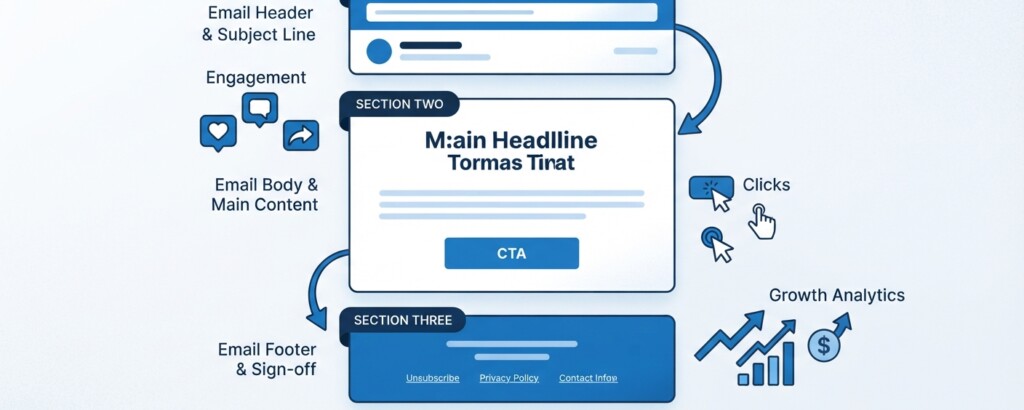
Once the email is opened, the body copy has one job: move the reader toward a single action. A common mistake is trying to accomplish too much in one email — sharing three updates, two offers, and a blog link all at once. This dilutes attention and lowers click-through rates. The Hook, Value, Action framework keeps body copy focused.
The Hook is your opening line or two. It should continue the thread started by the subject line and preview text, not restart the conversation. If someone opened because of curiosity about a mistake, your first sentence should address that mistake immediately, not ease into it with a greeting and small talk.
The Value section delivers on the promise. This is where you explain the mistake, share the tip, present the offer, or tell the story. Keep paragraphs short, generally two to four sentences, and break up longer explanations with bullet points or subheadings. Readers scan emails far more than they read them word for word, so your formatting needs to support scanning.
The Action section is a single, clear call to action. Avoid giving readers five different links to choose from. One primary action, stated clearly, performs better than multiple competing options. If you must include a secondary link, visually de-emphasize it so it does not compete with the main call to action.
If your email has more than one goal, it probably needs to be two emails instead of one. Splitting competing offers into separate sends almost always improves click-through rates on both.
Matching Tone and Structure to Email Type
Not every email should sound the same. A welcome email, a promotional email, and a re-engagement email each carry a different emotional tone, even if they follow the same Hook, Value, Action structure underneath.
Welcome emails should feel warm and low-pressure, focused on helping the new subscriber understand what to expect, not on selling immediately. Promotional emails can be more direct and urgency-driven, since the recipient already expects some kind of offer. Re-engagement emails, sent to subscribers who have gone quiet, often work best with a slightly more personal, low-key tone, acknowledging the gap in a human way rather than pretending nothing happened.
A practical example: a software company noticed their trial-expiration emails had low click rates when written in a generic promotional tone. Switching the subject line from ‘Your trial is ending soon’ to a more specific ‘3 things you have not tried yet in your trial’ and rewriting the body copy to focus on unused features, rather than a generic upgrade pitch, increased click-through rate noticeably because the email matched the context the reader was actually in.
Avoid writing subject lines that promise something the body copy does not deliver. Misleading subject lines may boost opens in the short term, but they increase unsubscribes and spam complaints, and they train your audience to stop trusting your emails over time.
Testing and Refining Your Email Copy
Email copywriting frameworks give you a strong starting point, but testing is what tells you what actually works for your specific audience. A/B testing subject lines is the easiest place to start, since most email platforms support this natively. Test one variable at a time, such as curiosity versus direct benefit, rather than changing multiple elements at once, so you can clearly attribute the result.
Beyond subject lines, test preview text variations, the position of your call to action, and the length of your body copy. Because privacy protections such as Apple’s Mail Privacy Protection (MPP) pre-fetch tracking pixels and can inflate open rates, evaluate click rates and downstream engagement alongside opens when testing subject lines. Some audiences respond better to short, punchy emails, while others engage more with longer, story-driven ones. There is no universal answer, which is why ongoing testing matters more than following any single rule permanently.
| Metric | What It Tells You | When to Act On It |
|---|---|---|
| Open Rate | Directional indicator of subject line and preview text reach, though inflated by automated privacy pre-fetching like Apple MPP | If trending noticeably downward against your own historical baseline, revise your subject line and preview text approach |
| Click-Through Rate | How compelling your body copy and call to action were | If opens are strong but clicks are low, revisit body copy and CTA |
| Unsubscribe Rate | Whether content matched audience expectations | Spikes often signal mismatched tone or over-promising |
| Spam Complaint Rate | Whether your email felt unwanted or misleading | Maintain below 0.10%; reaching 0.30% risks deliverability blocks under Gmail and Yahoo sender requirements |
Keep a simple log of subject lines, preview text, and their performance over time. Patterns emerge after ten or twenty sends that are not visible from a single test. This running record becomes one of the most valuable internal resources a marketing team can build, since it turns email copywriting from guesswork into an evidence-based practice specific to your own audience.
Key Takeaways
- Subject lines and preview text should be written together as one unit, not as separate afterthoughts
- Use curiosity, direct benefit, urgency, or personalization based on your audience and the email’s goal
- Structure body copy with Hook, Value, Action to keep every email focused on a single purpose
- Match tone and structure to the type of email you are sending, whether welcome, promotional, or re-engagement
- Test one variable at a time and track results over multiple sends to find what works for your specific list
- Never let a subject line promise something the body copy does not deliver
Strong email copywriting frameworks are not about finding one perfect formula and repeating it forever. They are about having a reliable structure to start from, so you can spend your energy on the words that matter most, then refine based on real performance data from your own audience.
Want to build your email marketing skills further
Explore more practical guides on email marketing, automation, and campaign strategy to keep sharpening the skills that drive real results.