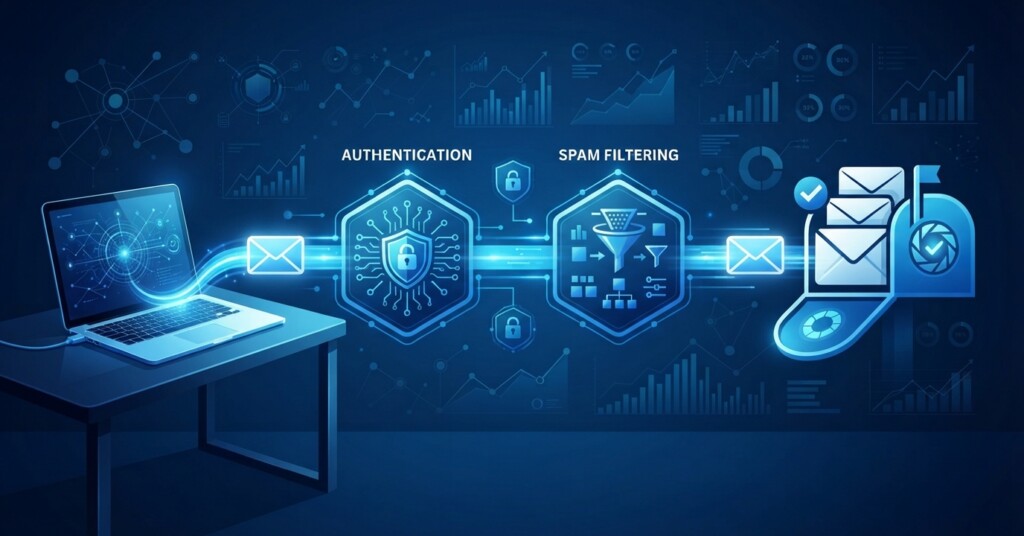
You can write the best subject line in the world, but if your email never reaches the inbox, none of it matters. Email deliverability — the ability of your emails to actually arrive in a subscriber’s inbox rather than being filtered to the spam or junk folder, or blocked entirely — is the invisible foundation of every successful email marketing campaign. In this article, you will learn what deliverability actually means, the technical and behavioral factors that influence it, how to diagnose problems, and a practical framework for keeping your sender reputation healthy over time.
What Email Deliverability Actually Means
Deliverability is different from delivery. Delivery simply means the receiving mail server accepted your message — it does not tell you where that message landed. Deliverability measures whether your email actually made it to the inbox (including tabbed views like Promotions) rather than the spam folder. An email can be delivered and still end up buried in spam, which is why so many marketers are confused when their open rates mysteriously drop even though their platform shows a ninety-nine percent delivery rate.
Internet service providers and mailbox providers like Gmail, Outlook, and Yahoo use automated filters to decide where your email belongs. These filters look at technical signals, such as authentication records, and behavioral signals, such as how recipients interact with your messages. Get either category wrong consistently, and your sender reputation drops, which means more of your future emails get filtered out before a human ever sees them.
The Technical Foundation: Authentication Records
Before mailbox providers even look at your content, they check whether you are who you claim to be. This is done through three primary authentication protocols configured in your domain’s DNS settings, paired with proper domain architecture. Setting these up correctly is the single highest-leverage thing you can do for deliverability, and it is entirely within your control.
- SPF (Sender Policy Framework): a DNS record that lists which mail servers are authorized to send email on behalf of your domain.
- DKIM (DomainKeys Identified Mail): adds a digital signature to your emails so receiving servers can confirm the message was not altered in transit.
- DMARC (Domain-based Message Authentication, Reporting and Conformance): tells mailbox providers what to do if an email fails SPF or DKIM checks, and gives you visibility into who is sending mail using your domain.
- Custom sending domain: using a dedicated subdomain for marketing email, separate from your main corporate domain, so reputation issues do not spill over into transactional or internal mail.
If you have never checked your DMARC record, do it this week. Many businesses set up SPF and DKIM years ago and never configured DMARC at all, which leaves a major gap that spammers can exploit by spoofing your domain. Furthermore, major mailbox providers like Google and Yahoo now require DMARC, SPF, and DKIM authentication for bulk senders, meaning unauthenticated messages risk being rejected or routed directly to spam.
Behavioral Signals That Shape Your Sender Reputation
Once authentication passes, mailbox providers watch how real people respond to your emails. This is where most marketers unknowingly sabotage themselves, usually by prioritizing list size over list health. A smaller, engaged list will almost always outperform a large, stale one when it comes to inbox placement.
| Signal | What It Tells Providers | How to Improve It |
|---|---|---|
| Open rate | Recipients find your subject lines relevant enough to open | Send only to engaged segments and test subject lines regularly |
| Spam complaints | Recipients are actively marking your mail as unwanted | Make unsubscribing easy and set clear expectations at signup |
| Unsubscribe rate | Whether your content matches what people signed up for | Segment lists and avoid over-mailing |
| Bounce rate | Whether your list contains invalid or outdated addresses | Run regular list cleaning and use double opt-in |
| Read time and reply rate | Whether people are genuinely engaging, not just glancing | Write content worth reading, not just scanning |
Notice that none of these signals have anything to do with graphic design or clever copywriting tricks. They are all about respecting the relationship you have with your subscribers. A useful mental model here: think of your sender reputation like a credit score. It moves slowly, it is built through consistent good behavior, and one bad habit, like buying an email list, can tank it quickly and take months to rebuild.
Never buy or rent email lists. Sending to purchased contacts who never opted in triggers spam complaints and hard bounces almost immediately, and mailbox providers will start filtering your domain’s mail broadly, including to your legitimate, engaged subscribers. This is one of the fastest ways to destroy deliverability for months.
A Practical Framework for Protecting Deliverability
Deliverability is not a one-time setup task; it is an ongoing practice. Here is a simple framework you can apply on a recurring basis, whether you send weekly newsletters or run large-scale promotional campaigns.
- Warm up new sending domains gradually by starting with small volumes to your most engaged subscribers before scaling up.
- Segment your list by engagement level, and reduce or pause sending to contacts who have not opened anything in the last ninety to one hundred and eighty days.
- Use a double opt-in signup process so every new subscriber confirms they actually want your emails.
- Monitor your domain reputation and spam rate in Google Postmaster Tools, and track blocklist status and DNS health using tools like MXToolbox.
- Test emails before sending using a seed list across Gmail, Outlook, and Yahoo to catch spam folder placement early.
- Keep a consistent sending schedule and volume, since sudden spikes in sending look suspicious to filters.
- Suppress hard bounces and spam complaints immediately, and clean your list quarterly by sunsetting long-term inactive subscribers.
Consider a mid-sized e-commerce brand that noticed open rates falling from twenty-eight percent to twelve percent over six months, despite the list growing. After an audit, the culprit was clear: the brand had been adding every website visitor to its list through a pop-up, without confirming interest, and was emailing everyone at the same frequency regardless of engagement. Once the team implemented a re-engagement campaign, removed unresponsive contacts, and set up DMARC properly, inbox placement recovered within about eight weeks. The list ended up thirty percent smaller and performed dramatically better across every metric that mattered, including revenue per email sent.
Content Choices That Influence Spam Filtering
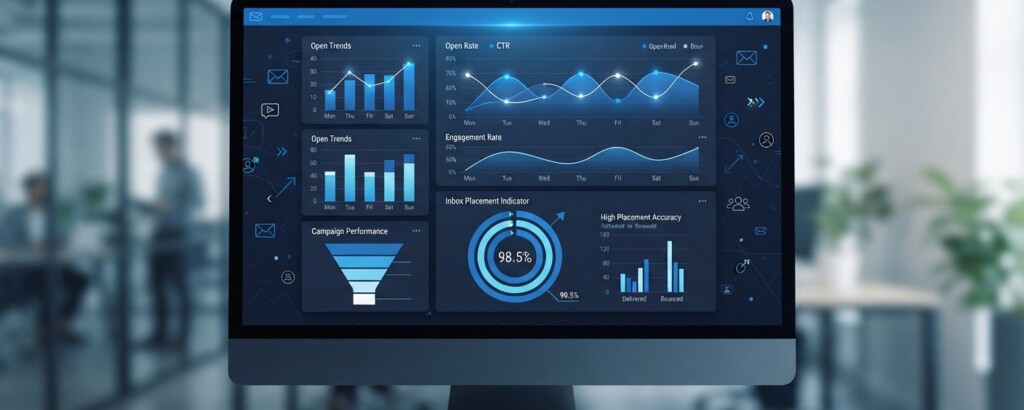
While technical setup and engagement matter most, the content of your email still plays a role, particularly for newer or less-established sending domains. Spam filters use machine learning to evaluate patterns that historically correlate with unwanted mail.
Avoid excessive use of all caps, multiple exclamation points, and words heavily associated with spam like ‘free money’ or ‘act now’ in your subject lines. Keep a healthy ratio of text to images, and always include a plain-text version alongside your HTML email. Make sure your unsubscribe link is prominent and functional, and support one-click list-unsubscribe headers, since hiding the opt-out mechanism triggers spam reports and violates mailbox provider rules as well as regulations like CAN-SPAM and GDPR.
Quick test: before sending, ask whether a recipient who forgot signing up would feel misled by your subject line or sender name. If the honest answer is yes, revise it. Filters are increasingly good at detecting mismatches between subject lines and actual content.
Key Takeaways
Email deliverability is the combination of technical authentication and genuine subscriber engagement, and both need continuous attention rather than a one-time fix. Set up SPF, DKIM, and DMARC correctly, protect your sender reputation by only emailing people who actually want to hear from you, monitor engagement and blocklist status regularly, and clean your list before it drags down performance. Treat email deliverability as an ongoing discipline, not a technical checkbox, and your emails will consistently land where they belong: in the inbox.
Want to build a stronger email marketing program?
Explore more practical guides on list growth, segmentation, and campaign strategy to turn your email channel into a reliable revenue driver.


