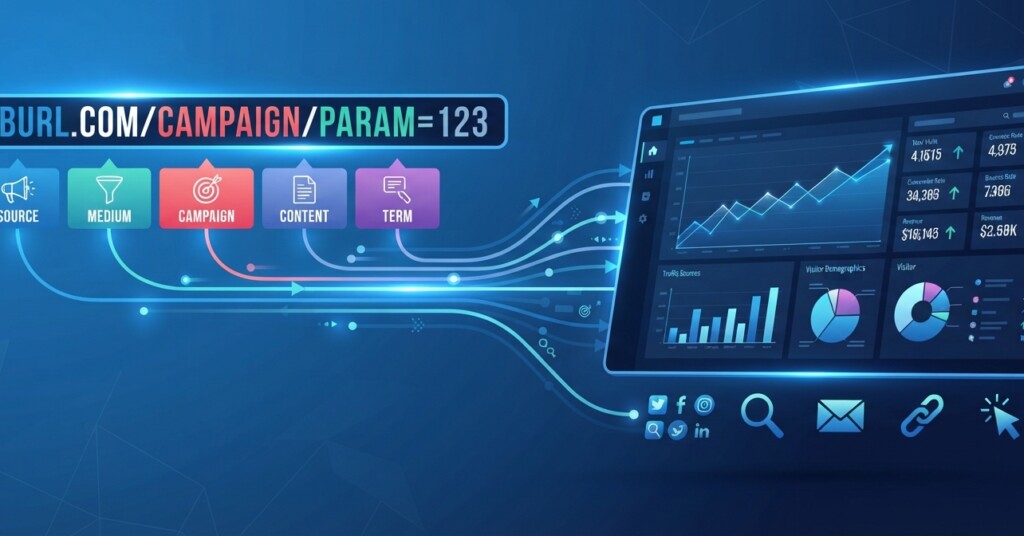
You spend money on ads, hours writing emails, and days building social posts—but if you cannot tell which link brought in the sale, you are guessing at what actually works. UTM parameters solve that problem. They are small pieces of text added to the end of a URL that tell your analytics tool exactly where a visitor came from. This article walks through how UTM parameters and campaign tagging work, how to build a naming system your whole team can follow, and how to avoid the common mistakes that quietly wreck marketing data.
What UTM Parameters Actually Are
UTM stands for Urchin Tracking Module, a name left over from the analytics company Google acquired years ago. The origin does not matter much today; what matters is the function. A UTM parameter is a tag you attach to a URL so that when someone clicks it, your analytics platform (Google Analytics, HubSpot, and most others) records specific details about the source of that click instead of lumping it into vague categories like direct traffic.
There are five standard UTM parameters, though you will not use all five every time:
- utm_source: where the traffic originates, such as newsletter, facebook, or google
- utm_medium: the marketing channel type, such as email, cpc, or social
- utm_campaign: the specific campaign name, such as spring_sale
- utm_term: used mainly for paid search to track keywords
- utm_content: distinguishes similar links or ads, such as header_button versus footer_link
A tagged link looks like this: https://example.com/shoes?utm_source=facebook&utm_medium=social&utm_campaign=spring_sale&utm_content=carousel_ad_1. Every time someone clicks it, your analytics dashboard logs those exact values, giving you a clean, filterable record of performance instead of an educated guess.

Why Campaign Tagging Matters More Than Most Marketers Realize
Without tagging, most analytics tools will show traffic as direct or unassigned once it leaves a platform’s native environment. This is especially true for email, social media, and any link shared outside of paid ad platforms that auto-tag. Imagine sending a newsletter with three links, posting the same offer on Instagram and LinkedIn, and running a Google ad—all pointing to the same landing page. Without UTM tags, your analytics will show a spike in traffic but no way to tell which channel, post, or email actually drove it.
Campaign tagging turns that fog into a clear picture. You can answer questions like: Did the Tuesday email outperform the Thursday one? Did the carousel ad or the single-image ad get more clicks? Which landing page link in our bio drove more sign-ups this month? These are not abstract analytics questions—they directly affect budget decisions, content calendars, and what you tell your boss or client at the end of the quarter.
Think of UTM tags as receipts for every piece of content you publish. If you cannot trace a conversion back to its source, you cannot prove what is working, and you will end up repeating strategies based on gut feeling instead of data.
Building a UTM Naming System That Does Not Fall Apart
The biggest failure point with UTM tagging is not the tool—it is inconsistency. If one team member types Facebook and another types facebook_ads, your analytics platform treats these as two separate sources, splitting your data and making reports inaccurate. The fix is a shared naming convention that everyone on the team follows, documented somewhere accessible like a shared spreadsheet or internal wiki.
Here are the rules that keep tagging systems clean over time:
- Always use lowercase letters. UTM parameters are case-sensitive, so Email and email will show up as different sources.
- Use underscores or hyphens instead of spaces. Spaces get encoded as %20 in URLs and make reports harder to read.
- Keep a master list of approved values for source and medium so people are not inventing new terms each time.
- Name campaigns with a consistent pattern, such as season_promotion_year, so they sort logically in reports.
- Use utm_content to separate variations, like different buttons, images, or subject lines, especially when A/B testing.
| Parameter | Purpose | Example Value |
|---|---|---|
| utm_source | Platform or publisher sending the traffic | newsletter, linkedin, google |
| utm_medium | Type of marketing channel | email, social, cpc, organic |
| utm_campaign | Name of the specific campaign | fall_webinar |
| utm_term | Paid search keyword (optional) | running_shoes_sale |
| utm_content | Differentiates similar links or creatives | banner_a, banner_b |
Once the convention is set, use a URL builder—Google’s Campaign URL Builder is free and simple—rather than typing tags manually every time. For teams managing dozens of links a month, a shared spreadsheet with dropdown menus for source and medium prevents typos and keeps everything standardized without requiring people to memorize the rules.
Do not tag internal links on your own website with UTM parameters. Doing so overwrites the visitor’s original traffic source and attribution data in Google Analytics, making it look like conversions or subsequent sessions originated from an internal link rather than the true external campaign. UTM tags are for external links only—emails, ads, social posts, and third-party placements.
Applying UTM Tags Across Channels
Different channels call for slightly different tagging habits. In email marketing, tag every link in a campaign, not just the main call-to-action button, since footer links and secondary buttons often get clicks too. For paid advertising, Google Ads provides native auto-tagging, whereas platforms like Meta Ads offer URL parameter templates. Even so, maintaining disciplined manual UTM tagging gives you complete control over how campaigns are labeled in your own analytics across channels.
For social media, tag links differently depending on whether they are organic posts, bio links, or paid promotions, since mixing organic and paid traffic under the same source creates misleading performance numbers. A practical example: a small business running a product launch might tag their Instagram bio link as utm_source=instagram&utm_medium=social&utm_campaign=product_launch&utm_content=bio_link, while a boosted post promoting the same product uses utm_medium=paid_social instead of social, keeping organic and paid results cleanly separated in reports.

Content marketing links deserve the same discipline. If a blog post is shared through a partner’s newsletter, a guest post byline, and your own social channels, tagging each version separately lets you see which distribution channel actually drove readers back to your site, rather than crediting all the traffic to organic search or direct visits by default.
Turning Tagged Data Into Decisions
Collecting tagged data is only half the job. The real value comes from reviewing it on a regular schedule—weekly for active campaigns, monthly for a broader view—and comparing performance across sources, mediums, and content variations. In Google Analytics 4, this typically means reviewing Acquisition reports like Traffic Acquisition and analyzing metrics by session source/medium or campaign name.
A useful habit is building a simple recurring report that pulls campaign name, sessions, key events (or conversions), and key event rate side by side. This makes it easy to spot which campaigns are pulling their weight and which ones are draining budget without return. Over time, this data also informs your broader strategy: if email consistently outperforms social for a certain type of promotion, that is a signal to shift more resources there, backed by evidence instead of assumption.
Set a recurring calendar reminder to audit your UTM tagging conventions every quarter. Teams grow, new platforms get added, and naming habits drift without regular check-ins.
Key Takeaways
UTM parameters and campaign tagging are not a small technical detail—they are the foundation of accurate marketing measurement. Every link you share is an opportunity to learn something about your audience, but only if it is tagged consistently. Build a shared naming convention, document it somewhere your whole team can access, use a URL builder or spreadsheet to avoid manual errors, and review tagged data on a regular schedule so it actually informs decisions rather than sitting unused in a dashboard.
Getting UTM tagging right takes discipline up front, but it pays off every time you need to answer the question every marketer eventually faces: which of our efforts actually worked?
Want to sharpen more of your analytics skills?
Explore more practical guides on marketing analytics, reporting frameworks, and campaign strategy to build a measurement system that supports every channel you manage.