
If your cost-per-click keeps creeping up and your Quality Scores sit at a mediocre 5 or 6, the problem usually isn’t your bids — it’s your Google Ads campaign structure. How you organize campaigns, ad groups, keywords, and ads directly affects relevance, which is the single biggest lever Google uses to decide what you pay. This article walks through a practical framework for structuring Google Ads accounts so that relevance goes up, Quality Scores improve, and your CPCs come down over time. You will learn how to group keywords properly, match ad copy to search intent, and set up an account architecture that scales without becoming unmanageable.
Why Campaign Structure Drives Quality Score and Cost
Quality Score is Google’s 1-10 diagnostic rating of how relevant your keyword, ad, and landing page are compared to other advertisers. It’s built from three components: expected click-through rate, ad relevance, and landing page experience. None of these are about your bid amount — they’re about fit. A tightly organized account naturally scores higher on all three because every piece (keyword, headline, landing page) is speaking about the same narrow topic.
Here’s the mechanism that matters most for your budget: Google evaluates real-time ad quality during the ad auction to calculate Ad Rank and determine your cost-per-click, with the visible 1-10 Quality Score serving as its diagnostic estimate. Higher ad quality means you can win the same ad position for a lower cost-per-click than a competitor with poorer relevance, even if they bid more. So structure isn’t just an organizational nicety — it’s a direct cost-control tool. Loose, sprawling ad groups with dozens of unrelated keywords dilute relevance, which drags down expected CTR and ad relevance scores, pushing your CPCs higher across the entire account.
A one-point increase in Quality Score can lower your CPC by roughly 15 percent at the same ad position. Small structural fixes compound fast across hundreds or thousands of clicks.
The Framework: Campaigns, Ad Groups, and Tight Keyword Themes
The foundation of a well-structured account is a hierarchy that mirrors how customers actually search, not how your internal org chart is arranged. Use this three-tier logic:
- Campaigns split by business goal, budget, or geography — for example, separate campaigns for ‘Brand,’ ‘Category A – Search,’ and ‘Remarketing.’ This level controls budget allocation and settings like location targeting and bid strategy.
- Ad groups split by tightly related keyword themes, not broad product categories. Instead of one ad group called ‘Running Shoes,’ create separate ad groups for ‘Trail Running Shoes,’ ‘Road Running Shoes,’ and ‘Waterproof Running Shoes.’
- Keywords within each ad group limited to close variants of a single concept — typically 5 to 15 keywords per ad group is a reasonable ceiling.
This approach is often called SKAG-inspired structure (Single Keyword Ad Groups) or, more commonly today, Tightly Themed Ad Groups (TTAGs), since Google’s broad match and smart bidding systems have made rigid single-keyword groups less necessary but the underlying principle — narrow themes — still holds. The goal is that everything inside an ad group could plausibly share the exact same headline.
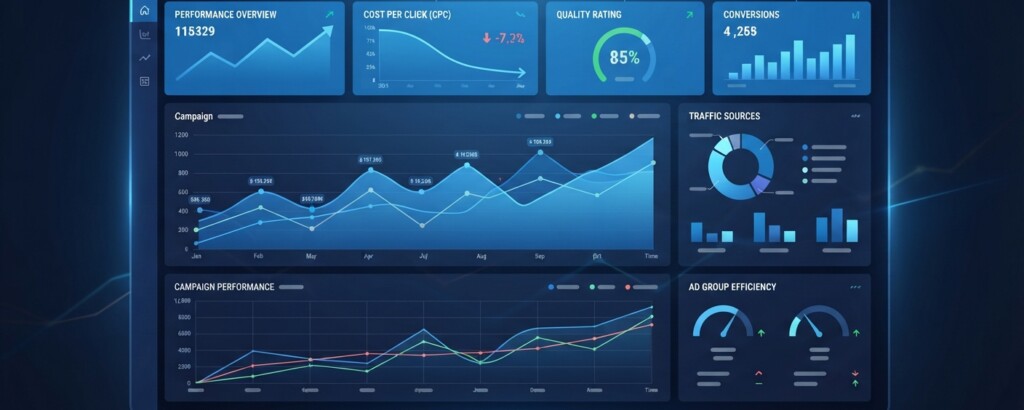
Consider a mid-size outdoor gear retailer running one bloated campaign called ‘Footwear’ with a single ad group containing 60 keywords ranging from ‘hiking boots’ to ‘flip flops’ to ‘ski boots.’ Every search triggers the same two generic ads and sends traffic to the same category page. Expected CTR and landing page experience both suffer because no single ad or page can serve that many intents well. After restructuring into four campaigns (Hiking, Winter, Casual, Water Shoes) each with three to five ad groups built around specific keyword themes, and pointing each ad group to a matching landing page, the retailer’s average Quality Score moved from 5.4 to 7.8 within eight weeks, and blended CPC dropped by 22 percent.
Matching Ad Copy and Landing Pages to Keyword Intent
Structure alone doesn’t earn a high Quality Score — the content inside that structure has to reinforce it. Once your ad groups are tightly themed, write ad copy that repeats the core keyword phrase in the headline, not just somewhere in the description. Google’s system rewards message match: if someone searches ‘waterproof trail running shoes,’ an ad headline that says exactly that performs better than one that says ‘Great Shoes for Every Adventure.’
The same logic applies to landing pages. Sending all traffic to a generic homepage is one of the most common — and most expensive — structural mistakes. Each ad group should ideally point to a landing page that mentions the specific keyword theme, shows relevant products or content above the fold, and loads quickly on mobile. Landing page experience is graded on relevance, transparency, and ease of navigation, and Google can tell when a click lands somewhere that doesn’t match the search.
| Element | Weak Match Example | Strong Match Example |
|---|---|---|
| Keyword | waterproof trail running shoes | waterproof trail running shoes |
| Headline | Shop Our Shoe Collection | Waterproof Trail Running Shoes | Free Returns |
| Landing Page | Homepage with all footwear | Category page filtered to waterproof trail shoes |
| Expected Outcome | Low CTR, low relevance score | Higher CTR, higher Quality Score, lower CPC |
Do not send every ad group to the same landing page just because it’s convenient. Even a well-organized keyword structure will underperform if the click experience doesn’t match what the searcher expected to see.
Negative Keywords and Match Types: Keeping Themes Clean
A tight structure erodes quickly without ongoing maintenance. Negative keywords are the tool that keeps your tightly themed ad groups from catching irrelevant traffic over time. Every campaign should have a negative keyword list that excludes obviously unrelated searches (free, jobs, DIY, cheap — if those don’t match your offer) and, just as importantly, ad group-level negative keywords to prevent your own ad groups from competing against each other for the same search, a problem known as keyword cannibalization.
Match type choice also affects how cleanly your structure holds up. Exact and phrase match give you tighter control over which ad group a search lands in, which protects your theme integrity. Broad match, especially when paired with automated bidding, can widen your reach but tends to blur ad group boundaries — Google may route a broad match keyword to searches only loosely related to your theme. If you use broad match, review the Search Terms report weekly and move any recurring, relevant-but-different queries into their own ad group rather than letting them sit awkwardly inside an existing one.
A practical routine: check your Search Terms report every one to two weeks, add clearly irrelevant queries as negatives, and flag any pattern of 3+ similar unexpected queries as a signal that you may need a new ad group. This is also where Quality Score data becomes actionable — the Search keywords tab shows you the three sub-scores (expected CTR, ad relevance, landing page experience) so you can diagnose exactly which part of the structure is underperforming rather than guessing.

Scaling the Structure Without Losing Control
As accounts grow, the temptation is to keep adding keywords to existing ad groups because it’s faster than building new ones. Resist this. A useful rule of thumb is the ‘3×5 check’: if an ad group has more than 15-20 keywords, or if your top keywords vary significantly in search intent, split it. This keeps expected CTR calculations meaningful and prevents one high-performing keyword from masking three underperforming ones sitting in the same group.
For accounts running both Search and Shopping or Performance Max campaigns, apply the same discipline at the campaign level: segment by product category, margin, or priority rather than lumping everything into one catch-all campaign. This gives you clearer budget control and makes it easier to see which segments are actually driving profitable CPCs versus which are dragging down your averages.
| Average CPC before restructuring | $3.20 |
| Average CPC after restructuring (est. 20% reduction) | $2.56 |
| Monthly clicks | 2,000 |
| Estimated monthly savings | $1,280 |
Set a recurring calendar reminder — monthly is usually enough — to audit ad group size, Quality Scores, and negative keyword lists. Structure decays naturally as new keywords and search trends emerge; treat it as ongoing maintenance, not a one-time project.
Key Takeaways
- Google Ads campaign structure directly influences ad quality (diagnosed via Quality Score), which in turn determines the CPC you pay for the same ad position.
- Organize accounts in three tiers: campaigns by goal or budget, ad groups by tight keyword theme, and keywords limited to close variants within each group.
- Match ad copy headlines and landing pages to the specific keyword theme in each ad group rather than relying on generic messaging or homepages.
- Use negative keywords and regular Search Terms report reviews to keep ad group themes clean as the account scales.
- Split ad groups once they exceed roughly 15-20 keywords or start covering noticeably different search intents.
None of this requires a bigger budget or a smarter bidding algorithm — it requires an account architecture that makes it easy for Google to see exactly what you’re offering and to whom. Get the structure right, and better Quality Scores and lower CPCs tend to follow as a natural byproduct rather than something you have to fight for.
Want more hands-on Google Ads guidance?
Explore more practical frameworks for paid advertising, SEO, and analytics built for marketers who want to apply what they learn immediately.